Find Pickleball Players Near You (No Facebook)
Maybe you just moved. Maybe you're new to the sport. Maybe your usual crew keeps flaking and you're tired of rebuilding a roster every Sunday morning. Either way, you need to find pickleball players near you, and if you're like most people, your first instinct was to join a Facebook group, type "anyone in [your city] want to play?", and wait. And wait.
Facebook Groups Were Built for Discussion. Not Discovery.
Facebook groups are forums. They are optimized for people talking to each other in a feed: sharing tips, posting memes, occasionally arguing about paddles. They are not optimized for finding a specific human within a few miles of you, who plays at your level, who is free Saturday at 9am, and who you can actually trust to show up. Nobody built them for that, and it shows every time you try to put together a game.
Yet that's how most rec players still try to find pickleball partners. Not because it works, but because nothing better existed in their head. Until they tried Main Court.
What "Finding Players" Looks Like in a Facebook Group
Here's the typical post in any "[Your City] Pickleball" Facebook group:
Posted in: San Diego Pickleball · 12,400 members
Hey everyone, just moved to North County, looking for 3.5 to 4.0 players. Free most evenings and weekends. DM me!
↳ Anna: I'm a solid 3.0, wanna come hit?
↳ Mike: Whereabouts in North County? I'm in Carlsbad
↳ Steve: I'm a 4.5 but happy to play down
↳ Kim: Are you free Saturday? My group needs a 4th
↳ Diana: What courts do you usually play at?
Seen by 847 · Useful replies: 1.
Sound familiar? You posted into a feed that shoved your request in front of thousands of people who don't match what you need, and the few who replied are strangers with no track record. That's not a community problem. That's a tool problem.
8 Ways Facebook Groups Fail You for Finding Pickleball Players
| What you actually need | Facebook Groups | Main Court |
|---|---|---|
| Skill-level filter | ✗ Everyone replies, levels guessed | ✓ Main Court and DUPR skill-level filtered results |
| Verified rating with rating count | ✗ "I'm a 4.0, trust me" | ✓ Skill rating plus the number of players who rated them |
| Player recommendations | ✗ Strangers with no signal | ✓ Highly Recommended and All Star badges from past partners |
| Match history visible | ✗ No history, no context | ✓ See who they've played and how often |
| Distance from you | ✗ City-wide feed | ✓ Map and radius, sorted by distance |
| Availability filter | ✗ DM and ask, then wait | ✓ Calendar-based, by day and time |
| Direct match request | ✗ DM chain, maybe a game | ✓ One tap, request, auto-confirm |
| Recurring partners | ✗ Hope you bump into them | ✓ Save players, get notified when they post a game |
💡 Tip: Most of your "find a partner" misses come from skill mismatch. Take the free pickleball skill level assessment before you start searching so your results actually fit your game.
The Geography Problem with Facebook Groups
Facebook groups are organized by city ("San Diego Pickleball," "Austin Pickleball Community"), but the courts you'd actually drive to are within 5 to 10 miles of where you live. A city-wide group dumps everyone in the same feed. You're seeing posts from people 25 miles away and completely missing the player who lives three blocks over because they posted in a different group, or didn't post at all.
Main Court is map-based. When you open the app, you see open matches and active players sorted by distance from you. No "is Encinitas too far?" math. Just who's nearby and when they're free.
The Skill Level Guessing Game
Every Facebook pickleball group has the same problem: nobody is the level they say they are. A self-described "3.5" can be anywhere from a real 2.5 to a sandbagging 4.0. You can't filter the replies, you can't verify levels before agreeing to play, and the only way to find out is to show up and discover the mismatch in person, which usually means one of you has a bad game.
Main Court uses skill ratings (with DUPR integration) plus rating counts from other players. A 4.0 with 60 ratings tells you something fundamentally different from a 4.0 with two. Set your range, and only players who actually fit show up.
The Trust Problem: You're Playing With Strangers
The deeper issue with Facebook groups isn't just skill or distance. It's that you have zero signal about the human on the other side of the message. Their level is whatever they claim. Their reliability is unknowable. The only thing you've got before driving to a court is a name and maybe a profile picture.
Main Court puts trust signals on every player profile. Their skill rating shows how many other players have rated them. Recommendations from past partners show up directly as badges: Highly Recommended, Main Court All Star. And you can see their match history before you ever send a request: who they've played, how often, how recently. Fifty matches in the last six months tells you one story. Three matches and a long gap tells you another.
You don't have to show up and hope. The information is on the screen before you commit.
How to Find Pickleball Players Near You: The Right Way
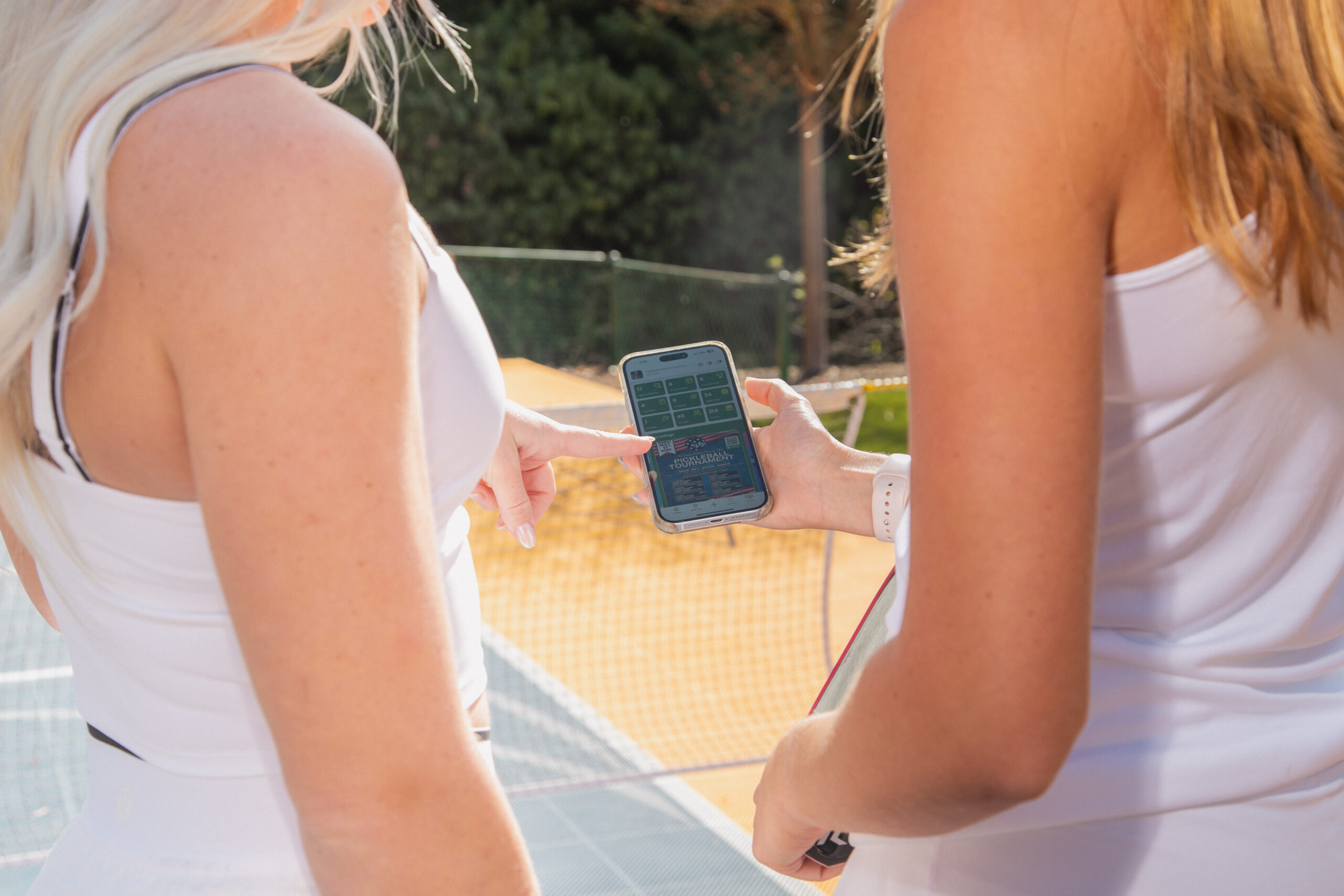
It's two taps on Main Court.
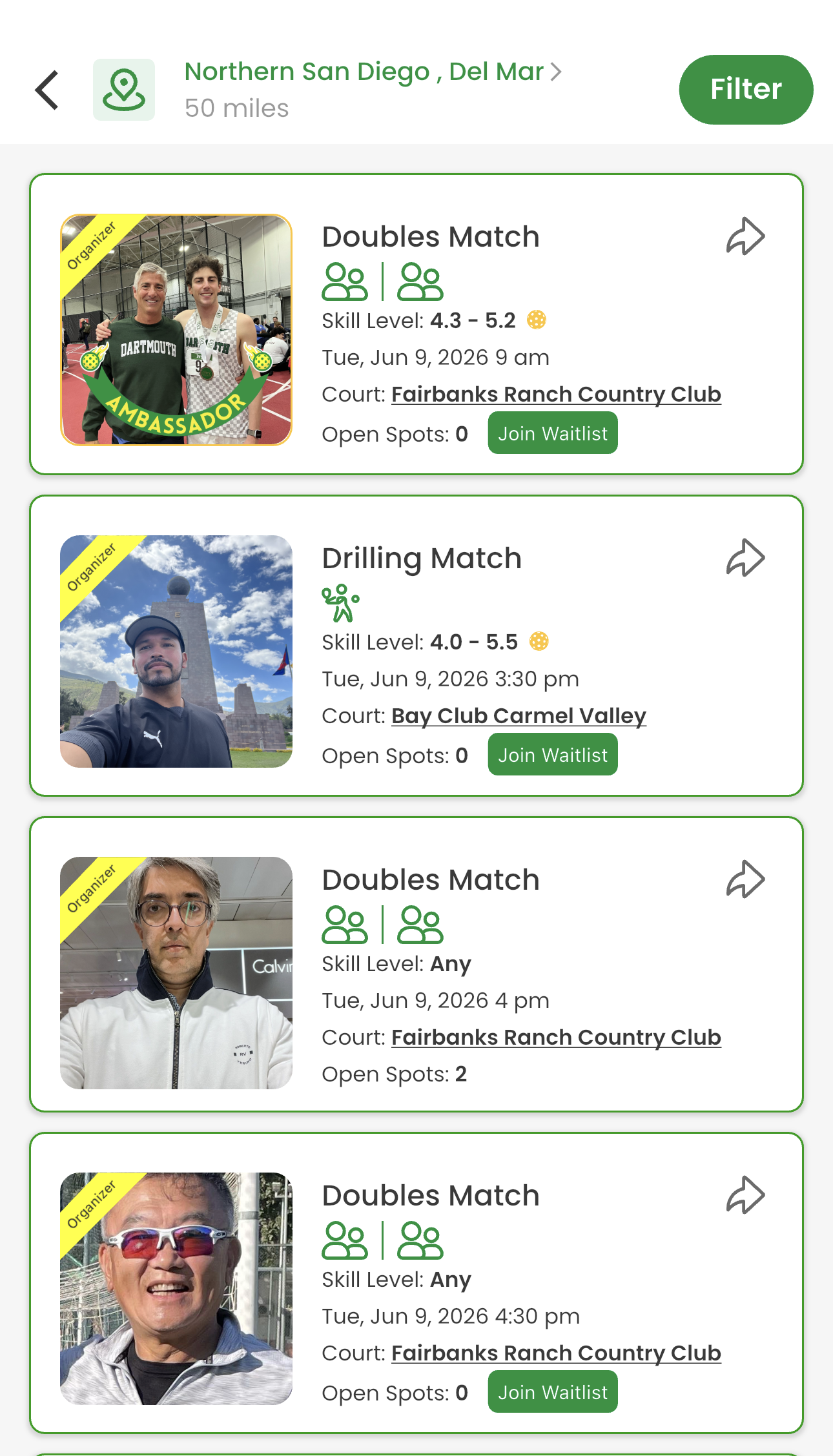
To find a game, open the app to the Open Matches feed. Set your location and radius (say, 50 miles around Del Mar), and you see every nearby match with its skill range, date, court, and open spots. Tap one that fits, request to join, and you're in. If it's full, hop on the waitlist and you get auto-promoted when someone drops.
To find players, tap the Search button. You see your local network sorted by proximity, each card with their skill rating, recommendation status (Highly Recommended, Main Court All Star), and home court. Tap a player to see their full profile, recommendations, and match history before you ever send a request. Or hit Create a Match and invite the people you actually want to play with.
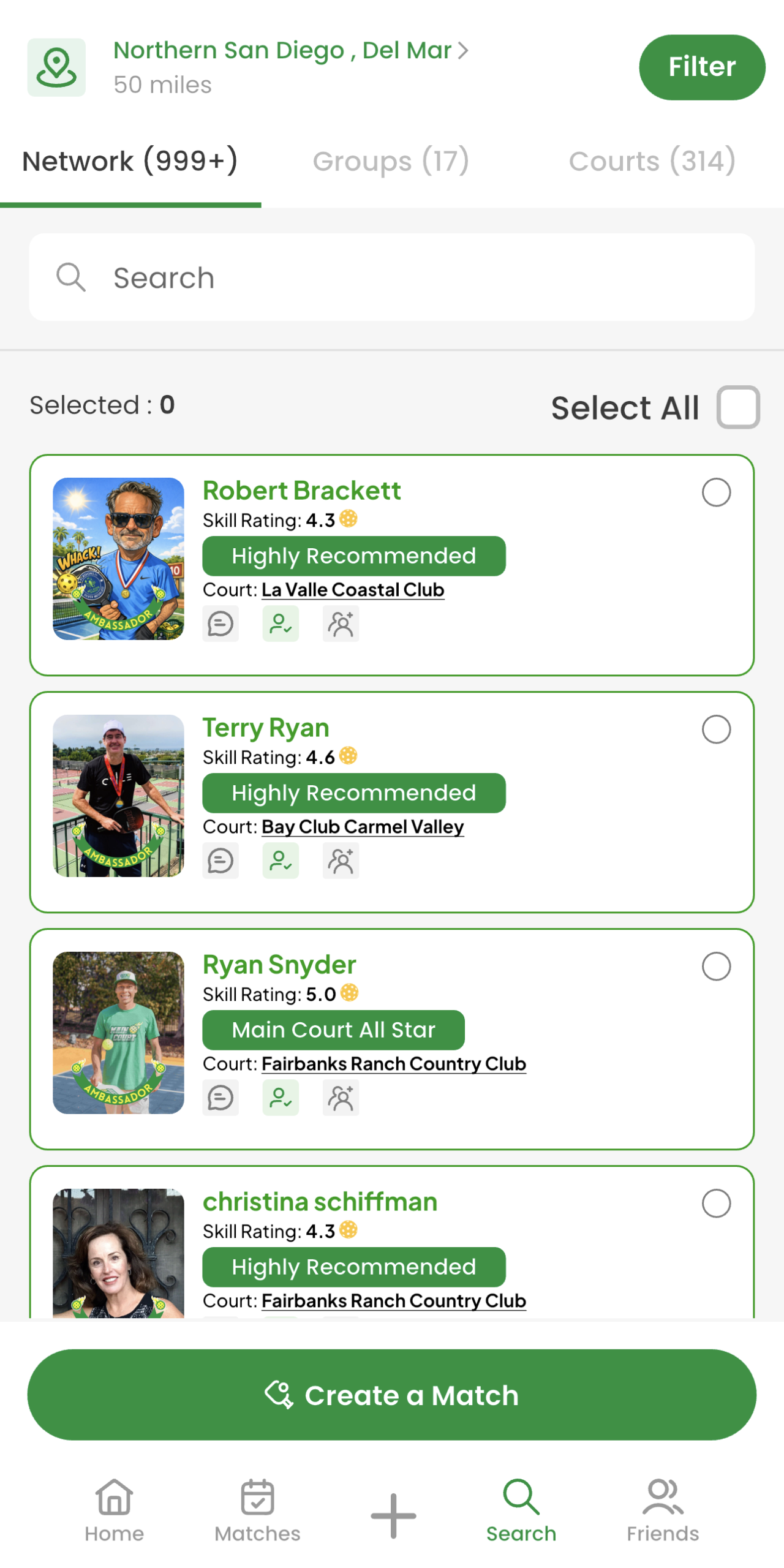
That's it. No Facebook group. No DM chains. No "anyone playing Saturday?" posts shouted into the void. By the time you walk onto the court, you already know who you're playing.
Stop Looking for Pickleball Players in Facebook Groups
Find pickleball players near you, at your skill level, with the ratings and recommendations to back it up, in under a minute.